• Zur Metanavigation
  • Zur Hauptnavigation
  • Zur Suche
  • Zum Inhalt
  • Zur Subnavigation
  • Zum Seitenfuß
  • University of Hamburg
  • For journalists
  • Staff Service Portal0
  • STiNE
https://www.kus.uni-hamburg.de/aktuelles.json?recentnews=true
  • Institutions and target groups
    • Einrichtungen
      • Faculties

        • Faculty of Law
        • Faculty of Business, Economics and Social Sciences
        • Faculty of Medicine
        • Faculty of Education
        • Faculty of Humanities
        • Faculty of Mathematics, Informatics and Natural Sciences
        • Faculty of Psychology and Human Movement Science
        • University of Hamburg Business School
      • Services

        • Study Information Net STiNE
        • Surfmail
        • Exchange
        • Staff Service Portal
        • Learning Platforms
        • Katalogplus – Catalogue of Hamburg Libraries
        • SharePoint
      • Student facilities and services

        • Campus Center
        • Career Center
        • PIASTA
        • AStA (student council)
        • University Sports
        • University Music
        • Family Office
        • University Language Center
        • General Languages
        • Office of Affairs for Students with Disabilities or Chronic Diseases
        • Departmental libraries
        • Healthy Campus
      • Further facilities and services

        • The Cluster of Excellence CLICCS
        • The Cluster of Excellence CUI
        • The Cluster of Excellence Quantum Universe
        • The Cluster of Excellence Understanding Written Artefacts
        • Hamburg Research Academy
        • Pier Plus
        • Hamburg Center for University Teaching and Learning (HUL)
        • Hub for Crossdisciplinary Learning (HCL)
        • CEN
        • Museums and collections
        • University Archives (in German)
        • Regional Computing Center (RRZ)
        • University Administration
        • Knowledge Exchange Agency
        • The Unikontor Shop (in German)
    • Target groups

      • Prospective students
      • Students
      • International prospective students
      • Young researchers
      • Researchers
      • Instructors
      • Staff
      • Prospective continuing education students
      • Alumni
      • Journalists
      • Refugees (in German only)
    Close
  • Language
    • English
    • Deutsch
  • /en/sitemap.json
University of Hamburg - to research, to teach, to educate and form, to homepage

Library for the Faculties Business, Economics and Social Sciences and Business Administration

Libraryfor the Faculties Business, Economics and Social Sciences and Business Administration
  • About the Library
    • News from the Library
    • Your feedback
    • Locations
    • Staff (German only)
    • Projects (German only)
    • Internships (German only)
    • Library regulations (German only)
  • Searching
    • Catalogs
    • Databases and search portals
    • Journals
    • eBooks
    • Working Papers
    • Research tips (German only)
  • Borrowing
    • Loan periods and renewals
    • Fees
    • Reservation and request from closed stack
    • Library card
    • Request from the ZBW
    • Interlibrary loan
  • Services
    • Place to study and work
    • Workshops and consultations
    • Collection and shelving
    • New books
    • Services for teaching staff
  • A-Z
  • Contact

Photo: jonathan simcoe, Ask More Questions Poster, CC0

  1. UHH
  2. Faculty of Business, Economics and Social Sciences
  3. Library WISO/BWL
  4. Services
  5. Place to study and work
  6. Library of things

Library of things

Simply borrow items at the circulation desk using your library card and return them before the library closes in the evening. You can find all the details in the terms of use.

Search and filter

Kabel-Icon mit zwei Endungen auf USB-C./Cable icon with two ends on USB-C.

Photo: USB type C by MAQ. from Noun Project (CC0)

USB-C to USB-C cable

Connects USB-C to USB-C. No video output. Use this cable to charge your device or to transfer data.
Icon eines Steckers mit verschiedenen Eingängen zum Schnellladen./Icon of a plug with different inputs for quick charging.

Photo: Charger by myiconfinder from Noun Project (CC BY 3.0)

Fast chargers

Charge all your devices with a single power adapter: The plug allows you to charge up to four devices at the same time (3x USB-C and 1x USB-A).
Adapter mit drei verschiedenen Anschlussmöglichkeiten/Adapter with three different connection options

Photo: Bearbeitet: HDMI Cable by Oleksandr Panasovskyi from Noun Project (CC BY 3.0) und weitere: CC0

Multiport adapter

Multiport adapters connect devices via USB-C to USB-C, HDMI and USB-A. They’re ideal if you want to connect a monitor in the library to your laptop, tablet or smartphone via USB-C.
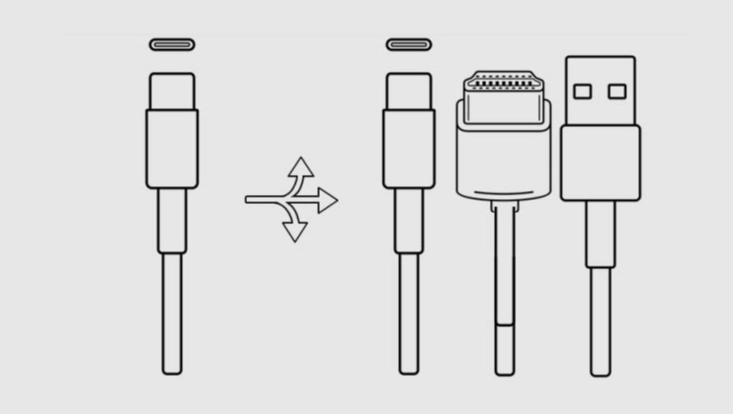
Icon eines Kabels mit verschiedenen Enden./Icon of a cable with different ends.

Photo: USB type C and Apple Lightning by MAQ. from Noun Project (CC0)

USB-C to Lightning cable

Connects USB-C to Lightning ports. No video transmission. Use this cable to charge your device or to transfer data.
kleines Speichergerät/small memory device

Photo: USB stick by Ale Estrada from Noun Project (CC BY 3.0)

USB flash drive

Borrow a freshly formatted USB flash drive. There is a USB-A port on one end and a USB-C port on the other.
Icon einer Computermaus/ Computer mouse icon

Photo: Mouse by giovanni ataraska from Noun Project (CC BY 3.0)

Mouse

Borrow a mouse. It has USB-A ports and a scroll wheel. This classic model is designed for Windows, but also works with macOS. Borrow a multi-port adapter if your device only supports USB-C ports.
Tastatur-Icon/Keyboard icon

Photo: Keyboard by Amir Ali from Noun Project (CC BY 3.0)

Keyboard

Standard QWERTZ keyboard (German keyboard layout) with numeric keypad. Connects via USB-A.
Icon eines Taschenrechners/Icon of a calculator

Photo: Calculator by Dilon Choudhury from Noun Project (CC BY 3.0)

Calculator

The standard model for economists and business students
Icon von einer Steckerleiste mit drei Steckdosen und einem Kabel./Icon of a power strip with three sockets and one cable.

Photo: Plug by Uswa KDT from Noun Project (CC BY 3.0)

Multi-socket

Multi-socket power strips with a 3-metre cable allow you to choose your workspace in the library with greater flexibility.
Kabel-Icon mit Endungen auf USB-A und USB-C./ Cable icon with USB-A and USB-C endings.

Photo: USB and USB type C by MAQ. from Noun Project (CC0)

USB-A to USB-C cable

Connects USB-A to USB-C ports. No video transmission. Use this cable to charge your device or transfer data.
Icon eines Stifts für Touchscreens/Icon of a stylus for touchscreens

Photo: Stylus pen by pictranoosa from Noun Project (CC BY 3.0)

Stylus for touchdisplay

The styluses help you to work with precision and accuracy on touchscreen surfaces, for example in our discussion rooms.
Icon eines Headsets/Icon of a headset

Photo: Headset Vector by Vecteezy

Headset

The headsets in the Business an Economics Library have a USB-C port, whilst those in the Social Sciences Library have both a USB-A and a USB-C port.
Icon von einem Mini DisplayPort auf HDMI Video Adapter/ Icon of a Mini Displayport to HDMI video adapter

Photo: HDMI Cable by Oleksandr Panasovskyi (CC BY 3.0) and USB type C by MAQ. from Noun Project (CC0),

Mini DisplayPort to HDMI video adapter

Older laptops have a Mini DisplayPort video port. When you connect this cable, the other end has an HDMI plug, which you can plug into our monitor workstations or the touchscreens in the discussion rooms.
Icon eines Kabels mit verschiedenen Enden./Icon of a cable with different ends.

Photo: USB and Apple Lightning by MAQ. from Noun Project (CC0)

USB-A to Lightning cable

Connects USB-A to Lightning. For charging and data transfer.
Icon eines höhenverstellbaren Laptopständers/Icon of a adjustable portable laptop stand

Photo: Adjustable portable laptop stand by Oleksandr Panasovskyi from Noun Project (CC BY 3.0)

Laptop stand

Adjust the height of the laptop stand to suit your needs. Available only in the Social Sciences Library.
Ein Icon eines Kabels, das sich in vier unterschiedliche Enden teilt./An icon of a cable that splits into four different ends.

Photo: Mini USB by Angelo Troiano and Apple 30 Pins by DAVIVONGSA PATHRPOL from Noun Project (CC BY 3.0) und weitere: CC0

4-in-1 charging cable

For charging older devices. Connect USB-A to Mini-USB, 30-pin (e.g. for an iPhone 3), Lightning or Micro-USB.
Icon eines Steckers mit Kabel/Icon of a plug with cable

Photo: Charger by Houda Mbarki from Noun Project (CC BY 3.0)

Laptop power adaptor

The laptop power adaptors each come with eight different adapters. They are suitable for some older laptops with their own non-standard power socket.
Ein Stecker für internationale Stecker, um hiesige Steckdosen benutzen zu können./A plug for international plugs to use local sockets.

Photo: Power socket by Ryan Lerch from Noun Project (CC BY 3.0)

World travel adapter

This world travel adapter allows you to connect plugs from the US, Japan or Asia, for example, to the sockets here.

Last update: 5 June 2026

  • Feedback
  • Legal notice
  • Privacy statement
  • Accessibility
  • Site map

University of Hamburg

Innovating and Cooperating for a Sustainable Future in a Digital Age

  • Follow us on Instagram.
  • Follow us on Facebook.
  • Follow us on Bluesky.
  • Subscribe to our channel on YouTube.
  • Connect with us on LinkedIn.
    • Studies
    • Prospective students
    • Continuing education
    • Research
    • Teaching at UHH
    • Doctoral studies
    • Job opportunities
    • Knowledge exchange
    • University
    • Excellence
    • Faculties
    • Alumni
    • Contact
    • Campus Navigator
    • UHHApp
    • Emergencies, safety and security
    • Antidiscrimination
audit familiengerechte hochschule
Audit
HRK-Audit
System accreditation

© 2026 University of Hamburg. All rights reserved